Backups run while Resurf is running, and a run is skipped when nothing changed. Keep your own copies outside the backup folder.
Backup and export
Save the whole library as a zip, now or on a schedule, or export it as a spreadsheet with its files.
- Back up
- Settings → Backup
- Export
- Settings → Data
- On
- Mac
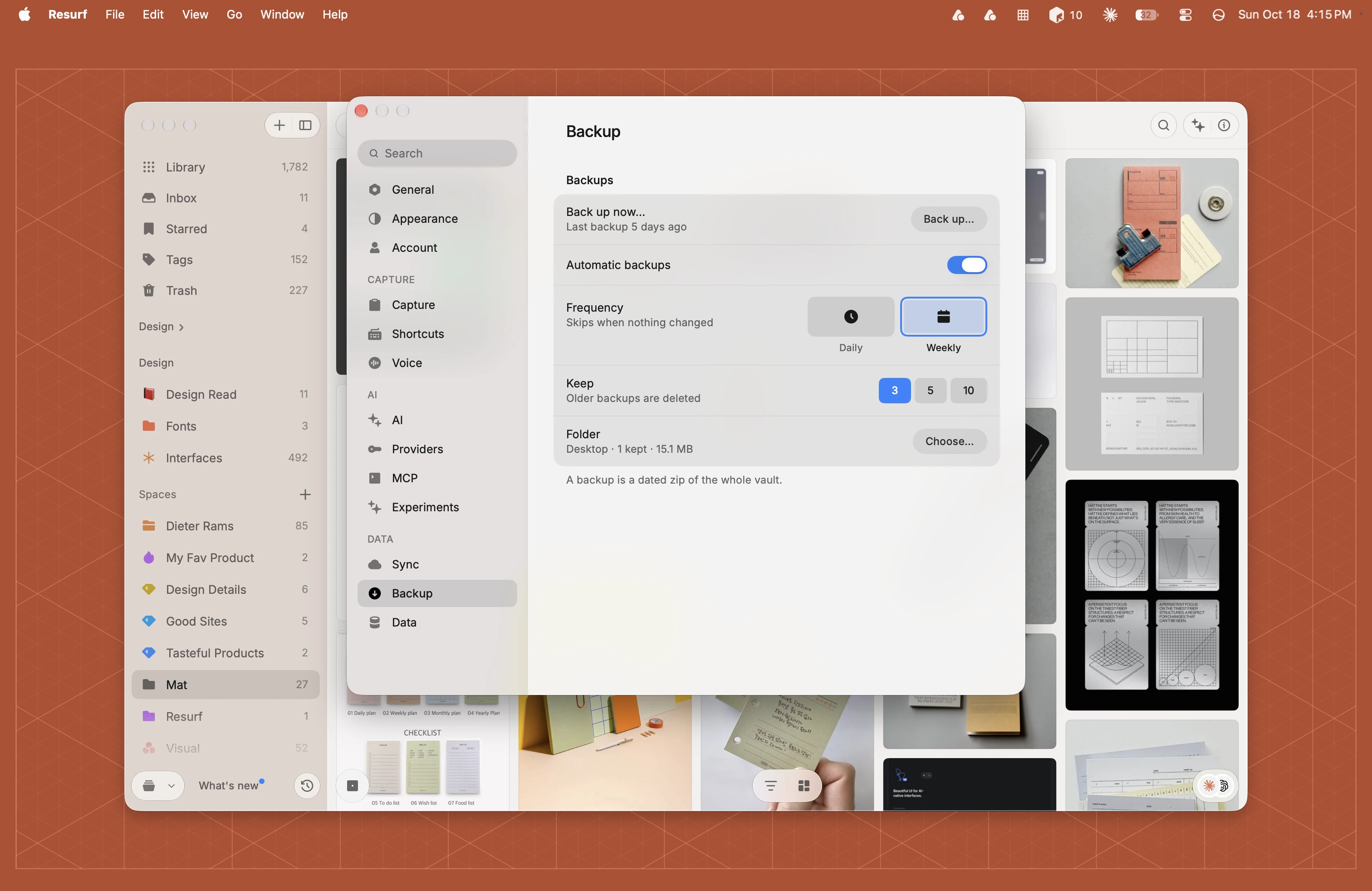
Back up now
A backup is a dated zip of the whole vault.
Open Settings (⌘,) and choose Backup.
Beside Back up now…, click Back up… You can also choose File → Back Up Vault…, or click Back up… in the Vault section of the info pane.
Choose where to save it. Backups can't be saved inside the vault itself.
Automatic backups
Automatic backups are off until you turn them on.
In Settings → Backup, turn on Automatic backups.
Pick a Frequency: Daily or Weekly. Weekly is the default.
Pick how many to Keep: 3, 5 or 10. The default is 3, and older backups are deleted.
Beside Folder, click Choose… and pick a folder outside the vault.
Export to CSV
Export writes a folder with captures.csv, a notes folder with each note as a Markdown file, and an assets folder with every file on each capture. Captures in the Trash and stacks are left out.
Open Settings (⌘,) and choose Data.
Under Import & export, click Export… beside Export to CSV…
Pick a folder and click Export. Resurf makes a folder named Resurf CSV Export, with the date and time, inside it.
Getting things back
Resurf has no restore button. A backup is a zip of the vault, so you can open it in Finder and copy files out. If sync was on, a new Mac signed in to the same Apple Account downloads your library from iCloud. See Sync.
Questions
Do I need a license to export?
No. Export works without one. At the free limit of 50 captures, the screen that replaces the library has Export everything and Show vault in Finder, and Settings and the File menu still work.
Do backups run when Resurf is closed?
No. They run while Resurf is running, including when it's only in the menu bar.
Why didn't a weekly backup happen?
Nothing changed since the last one, the folder couldn't be reached, or Resurf wasn't running. The Back up now… row in Settings → Backup shows the last problem.