There's no Sync now button. Resurf syncs when it comes to the front and when the network returns. On iPhone and iPad, you can also pull down in the library.
Sync status
One line in Settings says whether sync is working, with a checklist and a report you can send to support.
- Where
- Settings → Sync → Status
- On
- Mac, iPhone, iPad
Check the status
Open Settings (⌘,) and choose Sync. Status says how sync is doing, for example Synced just now.
Click the info button beside it for a checklist of this Mac and your other device.
In Resurf's Settings, the Sync row shows Off, On, Synced or Attention.
Tap Sync, then Status, for a checklist of this device and your other device. Pull down to check again.
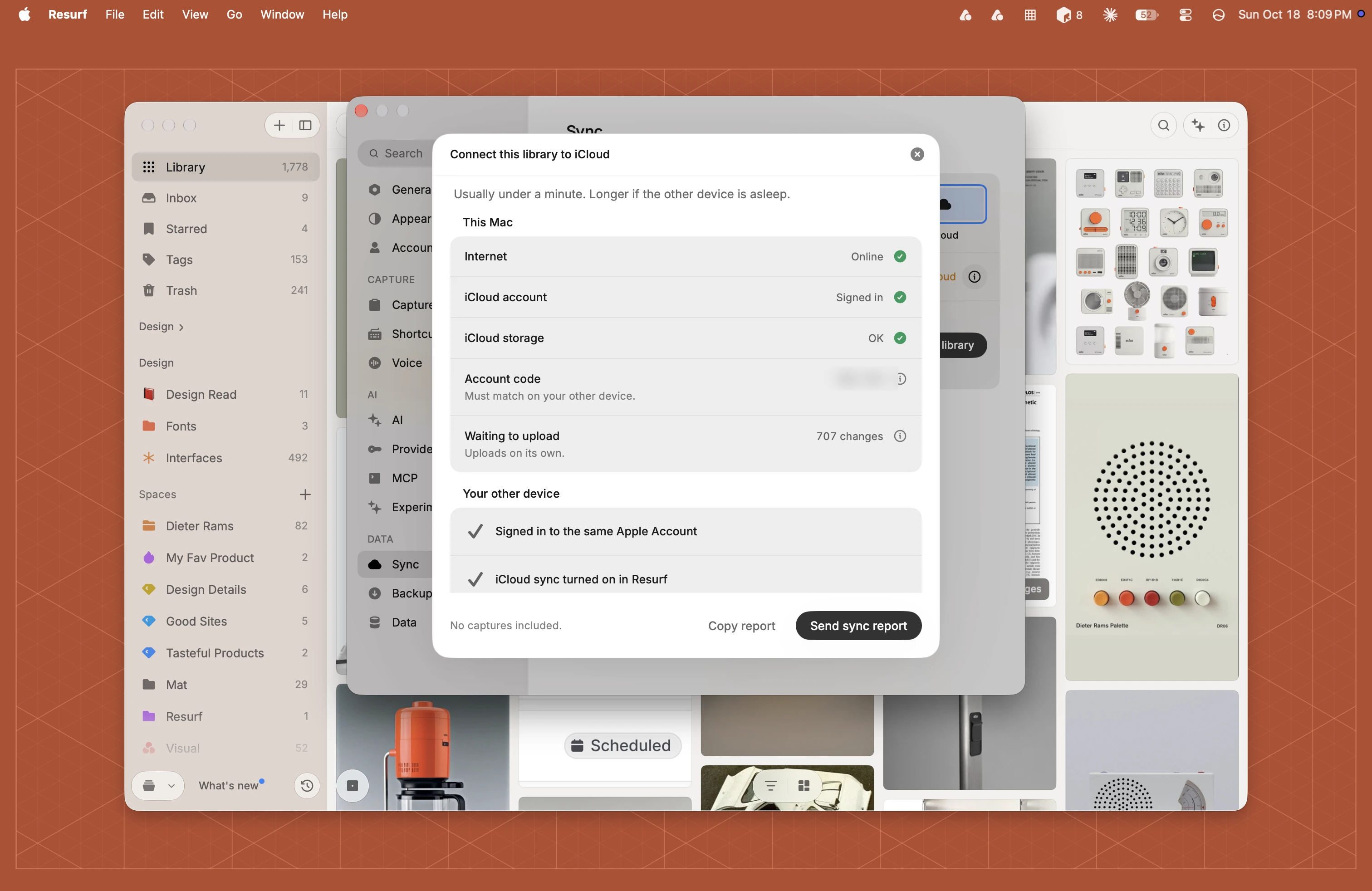
What the status means
- Synced just now, or how long ago: everything is up to date.
- Syncing…: changes are on their way.
- Downloading your library…: the first download is running. Keep Resurf open.
- Offline: changes sync when you're back online.
- Sync is off for this device: this device's mode isn't iCloud.
- iCloud storage is full: uploads stop until you free up iCloud storage. Downloads still work.
- Connect this library to iCloud: the library sees a different Apple Account. See Switching Apple Accounts.
Send a sync report
The report holds status words and counts, and no captures: no titles or file paths. It goes nowhere unless you send it.
Open the status checklist, as above.
Choose Send sync report to open a mail draft to support@resurf.so, or Copy report to copy the text.
Read the draft and send it.
Questions
My iPhone doesn't show what I saved on my Mac.
Open the status checklist on both and compare the Account code. If the codes differ, the devices are signed in to different Apple Accounts. Also check that sync isn't off on either one.
How long does sync take?
Usually under a minute. Longer if the other device is asleep.