Start guide
Install Resurf, save your first captures, and learn the few habits that make the library work.
Mac · iPhone · iPad
Overview
Resurf is a visual library for the things you save: links, notes, screenshots, files, and voice notes. It runs on your Mac, iPhone, and iPad, stores everything as ordinary files, and syncs through your own iCloud account. There is no account to create.
This guide gets you from install to a working library.
Install
Download the Mac app from resurf.so/download and get the iPhone and iPad app from the App Store.
The Mac app is free for your first 50 captures and 4 spaces. One payment unlocks unlimited use; there is no subscription. The iPhone and iPad app is free.
Save your first captures
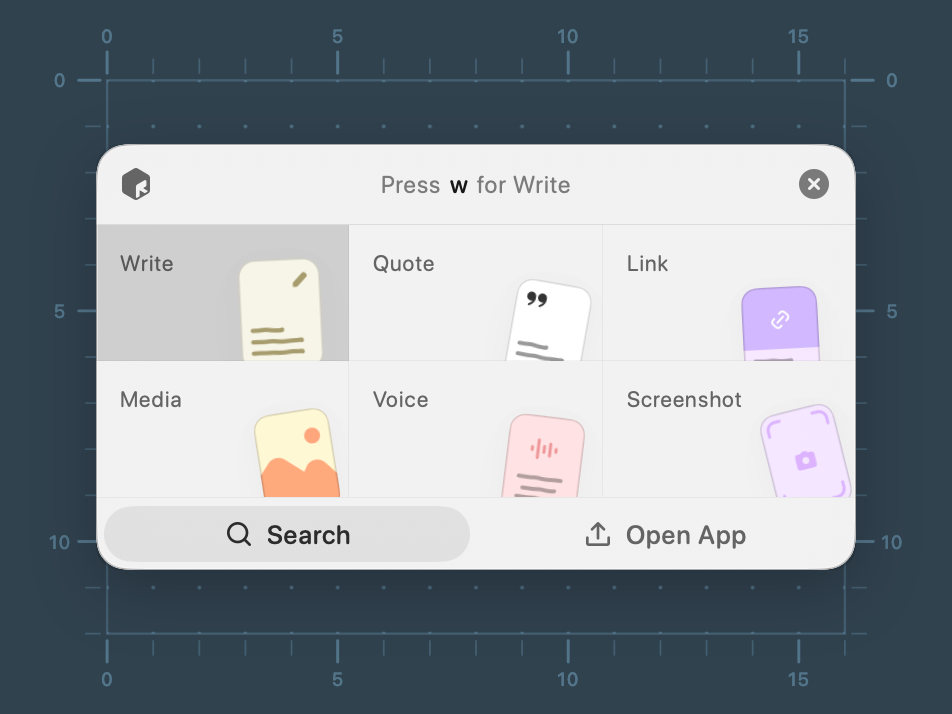
- On Mac, press ⌘⇧C in any app. Type a thought and press ⌘⏎.
- With a page open in your browser, press ⌘⇧C then l. The Link field already holds the current tab, so press ⌘⏎.
- Press ⌘⇧2 and drag to save part of the screen.
- On iPhone, tap Share in any app and choose Save to Resurf.
The first time, macOS asks for permission to read the browser tab and to record the screen. Each is asked once.
Organize lightly
New captures wait in the Inbox until you file them. Each row there has Assign, Later, and Delete.
Create a space for anything you will come back to for months. Tags and stacks are optional.
Find it again
Press ⌘⇧F in any app on Mac to open Quick Search. Search reads inside articles, screenshots, PDFs, and voice notes. Press Space on any card to peek it without opening it.
Sync and safety
Sync is on from the first launch and uses the Apple Account your devices are signed into. To keep a library on one Mac only, set Mode to This Mac in Settings → Sync.
Turn on automatic backups in Settings → Backup. See Backup and export.
Optional: AI
AI is off by default. To get suggested titles, tags, spaces, and summaries as you capture, connect your own provider in Settings → Providers. See AI providers.
FAQ
Do I need to create an account?
No. Sync uses the Apple Account your devices are already signed into. If two devices share the same Apple Account, they share the same library.
Is there a trial?
The free tier is the trial. The Mac app is free for 50 captures and 4 spaces, with no time limit. Resurf Pro is a one-time purchase.
What happens when I reach the free limit on Mac?
Nothing is deleted. The Mac app asks for a license before you can keep browsing, but everything stays on disk, sync keeps running, and you can export everything or open the library in Finder from that screen.
Does Resurf work offline?
Yes. Capture, write, organize, and search all work offline. Changes sync when you are back online.