Keyboard shortcuts
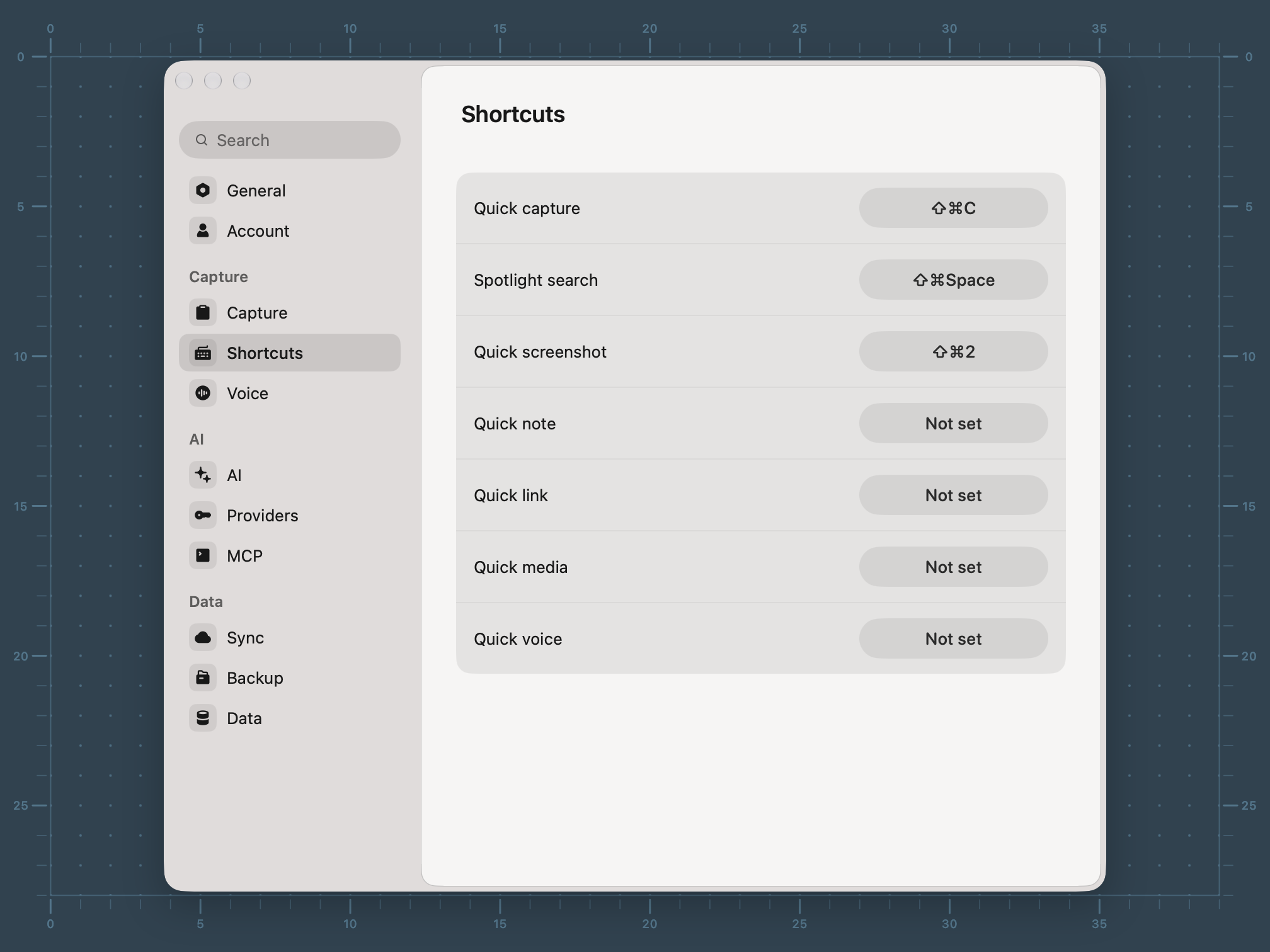
Every shortcut in Resurf on one page. The global shortcuts can be changed in Settings → Shortcuts.
Mac · iPad
Overview
Three shortcuts work from any app on Mac: ⌘⇧C opens the capture widget, ⌘⇧F opens Quick Search, and ⌘⇧2 takes a screenshot. All three can be changed in Settings → Shortcuts, which also has unset slots for Quick note, Quick link, Quick media, and Quick voice.
Inside the app, most actions are a single letter pressed while hovering a card.
From any app
| ⌘⇧C | Open the capture widget (Quick capture) |
| ⌘⇧F | Open Quick Search (Spotlight search) |
| ⌘⇧2 | Take a screenshot (Quick screenshot) |
In the capture widget
| w | Write |
| q | Quote |
| l | Link |
| m | Media |
| v | Voice |
| s | Screenshot |
| f | Search |
| o | Open the app |
| ⌘⏎ | Save |
| ⌘V | Paste whatever is on the clipboard |
| ⌘[ | Back to the picker |
| Esc | Step back one level, then close |
In the main window
| ⌘K | Open the command bar |
| ⌘F | Focus search |
| ⌘J | Ask or hide the Assistant |
| ⌘\ | Show or hide the inspector |
| ⌘B | Show or hide the sidebar |
| ⌘[ | Back |
| ⌘] | Forward |
| ⌘1 | Library |
| ⌘2 | Inbox |
| ⌘3 | Starred |
| ⌘4 | Trash |
| ⌘5 | Tags |
| ⌘6 | Spaces |
| ⌥⌘→ | Next capture |
| ⌥⌘← | Previous capture |
| ⌘⇧O | Open the vault in Finder |
| ⌘, | Settings |
| ⌘Q | Quit to the menu bar |
| ⌥⌘Q | Quit completely |
In the library
| ⌘A | Select everything in view |
| Esc | Clear the selection |
| ⌫ | Delete the selection |
| ⇧⌘S | Select mode |
| ⌘/ | Filters |
| ⇧⌘D | Display: sort and layout |
| ⇧⌘R | Shuffle |
| ⌘= | Bigger tiles |
| ⌘− | Smaller tiles |
On a hovered card
| Space | Peek |
| P | Pin |
| C | Copy |
| O | Open in the browser |
| F | Reveal in Finder |
| A | Ask the Assistant about the card |
| S | Assign a space |
| T | Edit tags |
| R | Rename |
While peeking
| ← | Previous result |
| → | Next result |
| Space | Play or pause audio and video |
| Esc | Close |
In a note
| / | Slash menu |
| ⌘B | Bold |
| ⌘I | Italic |
| ⌘Z | Undo |
| ⇧⌘Z | Redo |
On iPad with a keyboard
| ⌘⇧N | New capture |
| ⌘N | New note |
| ⌘L | New link |
| ⌘⇧V | Paste to Resurf |
FAQ
Why does a global shortcut not fire?
Another app has probably claimed it. Settings → Shortcuts shows a notice when a shortcut is in use elsewhere, and refuses combinations macOS will not accept. Choose a different one there.