With captures selected, every key acts on all of them. These keys are on Mac; iPhone and iPad use the buttons under each row.
Inbox
New captures wait here until you file them, put them off, archive them, or delete them.
- Open
- ⌘2on Mac
- On
- Mac, iPhone, iPad
Go through it
You don't have to empty it. Anything left here stays in your library and in search.
Press ⌘2, or click Inbox in the sidebar.
Move with ↑ and ↓. When the window is wide enough, the capture under the cursor shows beside the list.
Press S to assign a space, A to archive, L for later, or D to delete. The cursor moves on to the next capture.
Tap Inbox in the bar at the bottom.
Under each row, tap the arrow to assign a space, the clock to save it for later, or the trash can to delete it.
Or swipe a row left to pick a space, or right to delete it.
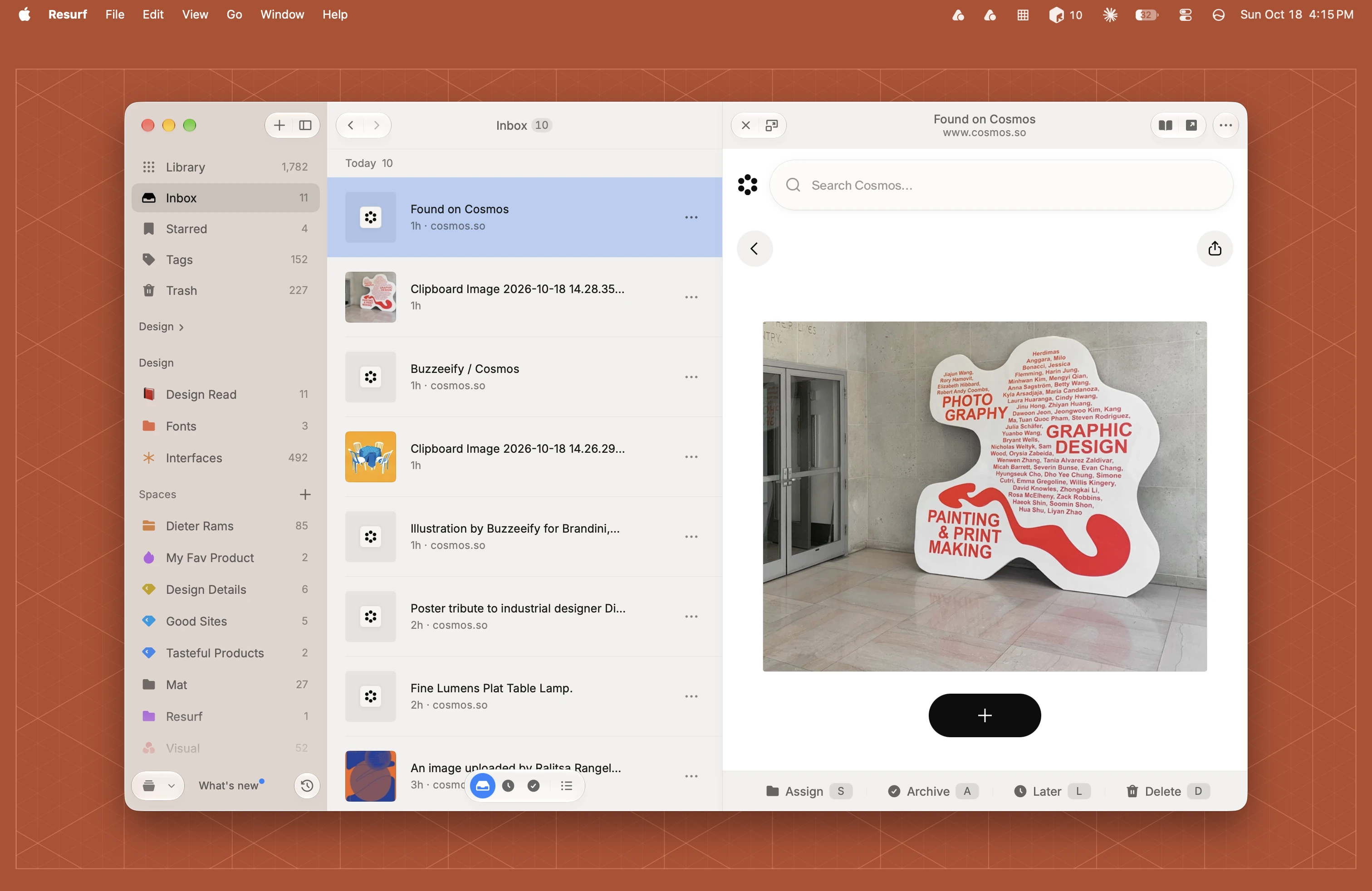
What each key does
- S Assign. Pick a space. The first one you click files the capture.
- A Archive. Out of the Inbox and kept, with no date.
- L Later. Pick when it comes back. See Later and reminders.
- D Delete. Moves it to the Trash, which keeps it for 30 days.
- 1 2 3 file it straight into a suggested space.
Inbox, Later and Archive
On Mac, the round buttons at the foot of the Inbox switch between three lists: Inbox (waiting), Later (coming back at a time you picked) and Archive (put away with no date). Hover a button to see its count.
iPhone and iPad have Inbox and Later tabs.
Undo
On Mac, archiving, putting off and deleting show a toast with Undo for 4 seconds, and ⌘Z undoes the last delete. On iPhone and iPad, Delete asks first. Either way, the Trash keeps deleted captures for 30 days.
Inbox count
On Mac, Settings → General → Inbox badge shows the count beside the menu bar icon (on by default) and on the Dock icon (off by default). It counts the Inbox, not Later. On iPhone and iPad, the Inbox badge setting puts the count on the app icon.
Questions
Why is a capture that's already in a space in my Inbox?
It came back from Later and sits under Reminders at the top. On Mac, press S to keep it where it is.
I pressed A in the Inbox and the Assistant didn't open.
In the Inbox, A archives. Everywhere else in the library, A asks the Assistant.
Does Delete ask first?
On Mac it doesn't, but Undo shows for 4 seconds. On iPhone and iPad it asks. Either way, the Trash keeps the capture for 30 days.