Bigger models give better suggestions and need more memory.
Run Ollama on your Mac
Run models on your own Mac with Ollama, with no key and nothing sent to the cloud.
- Where
- Settings → Providers
- Address
- localhost:11434
- Key
- None
- On
- Mac
Install Ollama and pull a model
Ollama is a free app that runs AI models on your Mac. Resurf talks to it the way it talks to a cloud provider, except nothing leaves the Mac.
Download Ollama from ollama.com and open it. It keeps running in the background.
In Terminal, pull a model. This fetches a small one; the library at ollama.com lists others.
Terminalollama pull gemma4:e2b
Connect
Ollama needs no key. Resurf connects to it at localhost:11434, the address Ollama listens on by default.
Choose Settings… (⌘,) and click Providers in the sidebar.
Click Connect beside Ollama. The sheet says Resurf connects to Ollama at localhost:11434.
Click Connect. Ollama moves to the top and shows Connected.
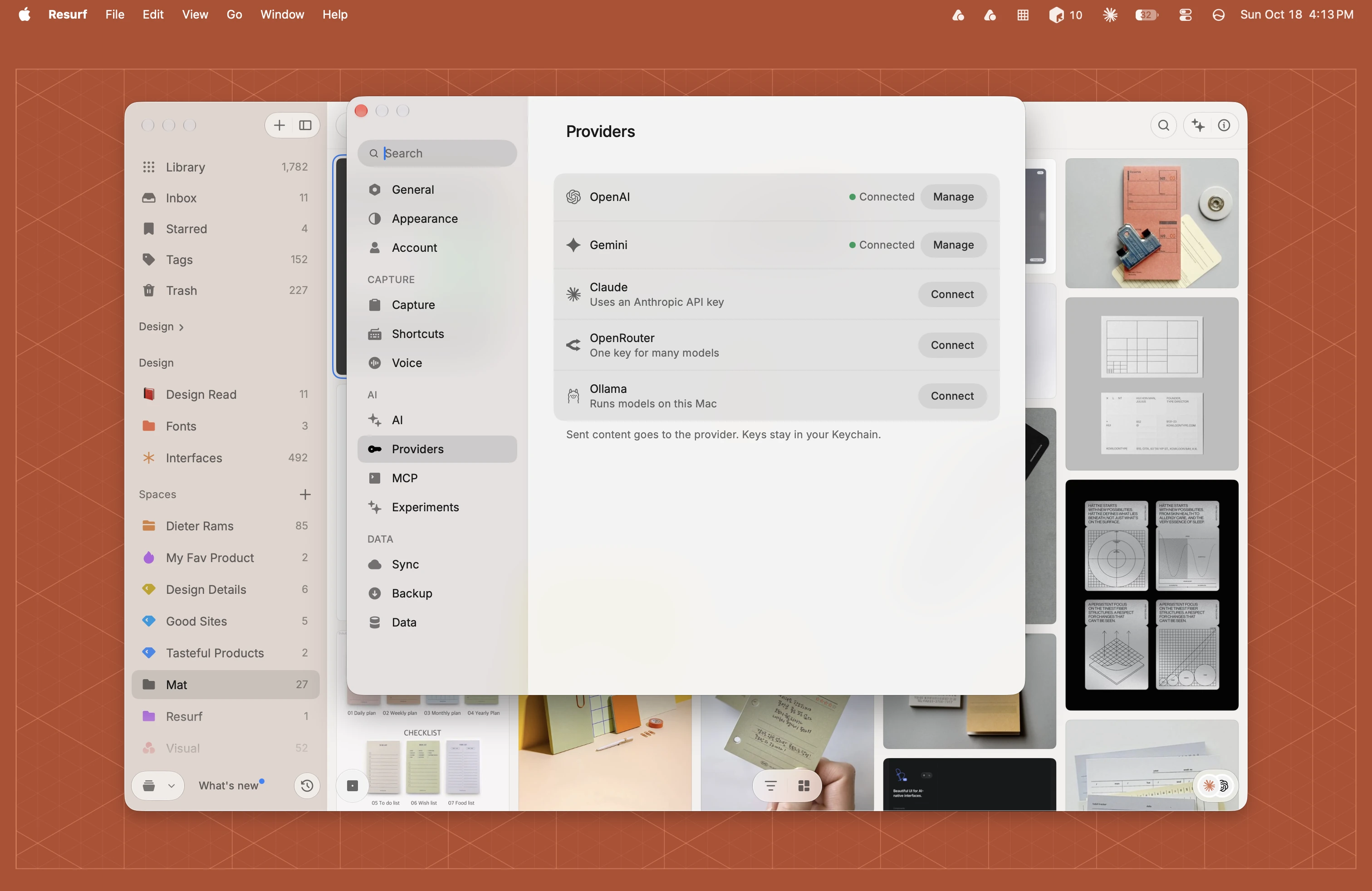
Your first provider turns on AI features and Suggest as you capture. Ollama is on Mac only. iPhone and iPad list the four hosted providers.
Pick a model
Connecting Ollama picks no model for you, so suggestions wait until you choose one.
In Settings → AI, click the Model button. Ollama's installed models are listed last, under the cloud providers.
Pick one. Resurf checks it the first time, and shows Model not verified if the model can't do what suggestions need. Pull a different model and try again.
Models with no vision organize images from their on-device text. The Assistant has its own model menu on Mac. Suggestions, voice note titles and generated notes never leave the Mac while they run on Ollama.
When Resurf can't reach Ollama
You see Could not reach Ollama. Make sure it is running, then try again.
| Likely cause | What to do |
|---|---|
| Ollama isn't running | Open the Ollama app. It runs in the background and starts at login after you install it. |
| No model is installed | Connecting works, but the Model menu has nothing from Ollama. Pull a model in Terminal. |
| Ollama listens somewhere else | Resurf only looks at localhost:11434. If you changed Ollama's address with OLLAMA_HOST, put it back. |
In Settings → Providers, click Manage beside Ollama and click Test to run the check again.
Questions
Does anything leave my Mac with Ollama?
No. Requests go to Ollama on your own Mac at localhost:11434. Once a day Resurf refreshes its model catalog from models.dev, with no key and no content.
Can I use Ollama on iPhone or iPad?
No. Ollama is on Mac only. iPhone and iPad list OpenAI, Claude, Gemini and OpenRouter.
I connected Ollama and nothing happens.
Pick an Ollama model in Settings → AI → Model. Connecting picks none for you.
Which model should I pull?
Any chat model from ollama.com's library. Resurf checks it when you pick it. Larger models give better suggestions and need more memory.