On iPhone and iPad, the Create a key at aistudio.google.com link on the key step opens the same page.
Use Gemini
Get a Gemini API key from Google AI Studio, connect it to Resurf, and know what to check when the connection test fails.
- Key from
- aistudio.google.com
- Looks like
- AIza…
- Syncs
- No, this device only
- On
- Mac, iPhone, iPad
Get a key
Gemini keys come from Google AI Studio, with your Google account.
Sign in at aistudio.google.com and open API key. Accepting the terms creates a Google Cloud project and a key for you.
Copy the key. It starts with
AIza.You can start without billing. New accounts are on the free tier, which has rate limits and lets Google use what you send to improve its products. For higher limits and no such use, click Set up billing on the project and prepay.
Connect it
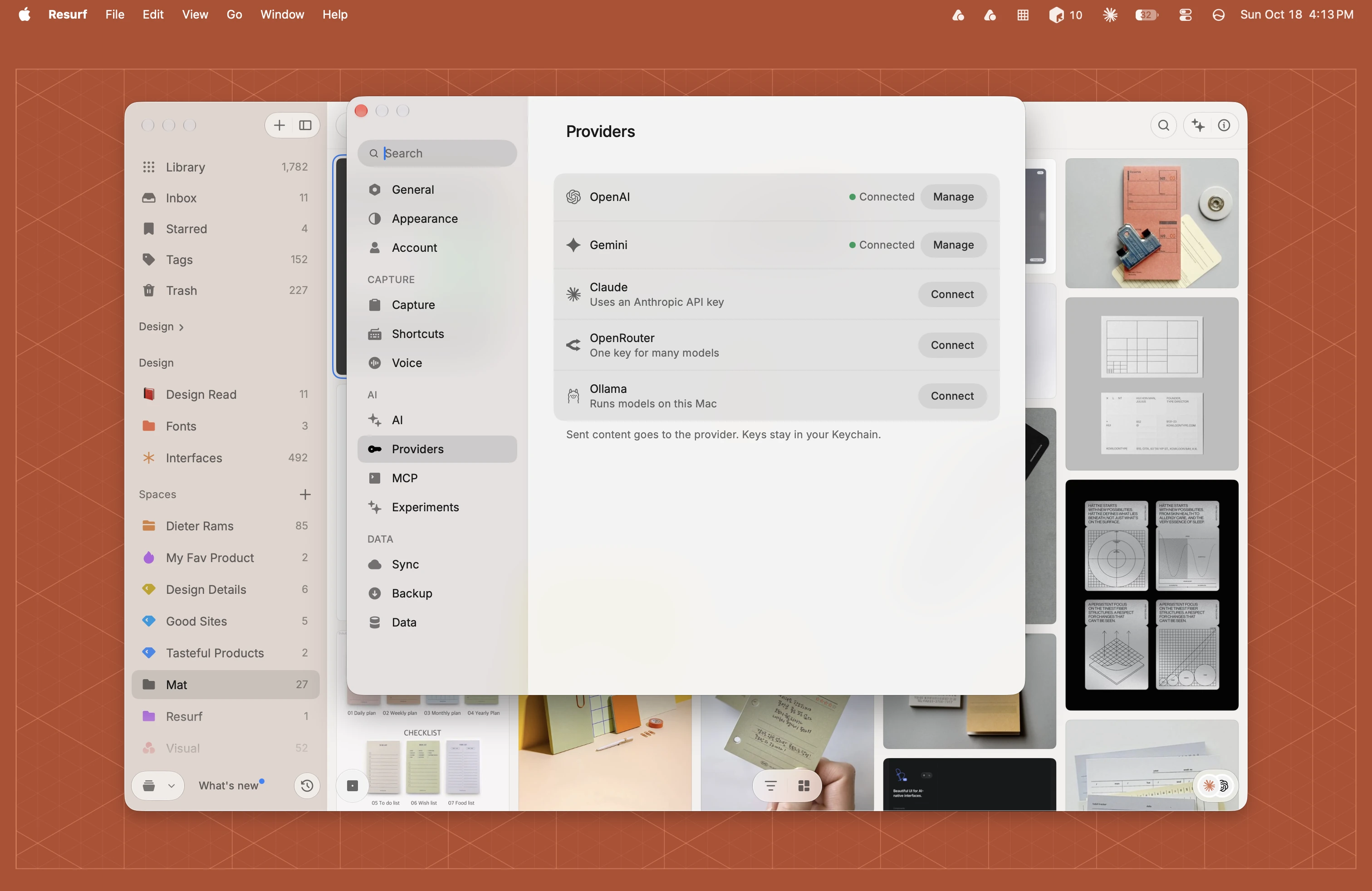
Choose Settings… (⌘,) and click Providers in the sidebar.
Click Connect beside Gemini.
Paste your key into API key and click Connect. Resurf sends one test request to check it.
Gemini moves to the top and shows Connected.
In Resurf's Settings, turn on AI, or tap Providers if AI is already on.
Tap Gemini, paste your key and tap Continue.
Resurf checks the key. Then read what will be shared with Google and tap Allow.
Your first provider turns on AI features and Suggest as you capture. The test sends your key and asks Google for its model list. No capture content is in it.
What it powers in Resurf
Resurf picks a Gemini model for you when you connect. It writes suggestions as you capture (titles, tags, spaces and summaries), voice note titles and clean-ups, generated notes, and answers in the Assistant on Mac. If the model you pick can't see images, Resurf reads them with a vision model from Google, or organizes them from their text.
- Voice transcription stays where it was. Cloud transcription is OpenAI only, so with Gemini alone, voice notes are transcribed on your device.
- The key stays on this device. Gemini keys don't sync, so connect Gemini on each Mac, iPhone and iPad you use.
When the connection test fails
On Mac you see Could not connect to Gemini. Check the API key and try again. On iPhone and iPad the test step says The key didn't work., with Back and Try again.
| Likely cause | What to do |
|---|---|
| The key is wrong | A character is missing from the paste, or the key was deleted in AI Studio. Make a new key and paste the whole thing. |
| The free tier is rate limited | On the free tier, a burst of captures can hit the limit and suggestions fail for a while. Wait, or set up billing on the project for higher limits. |
On Mac, click Manage beside Gemini and click Test to run the check again.
Questions
Is Gemini free to use with Resurf?
The free tier is, within its rate limits, and Google may use what you send on it to improve its products. Set up billing on the project to move to the paid tier.
Do I need a Google Cloud account?
AI Studio makes the Cloud project for you when you accept the terms. You only open Google Cloud to manage billing.
Can I transcribe voice notes with Gemini?
No. Cloud transcription is OpenAI only. Voice notes are transcribed on your device otherwise.